Logs
The Logs menu has three pages: Endpoint Sessions, Event Logs, and Endpoint Logs.
Endpoint Sessions
The Endpoint Sessions page lists the database connection sessions made through the DDM proxy. It shows which users connected to which databases, when, and the current state of each session.
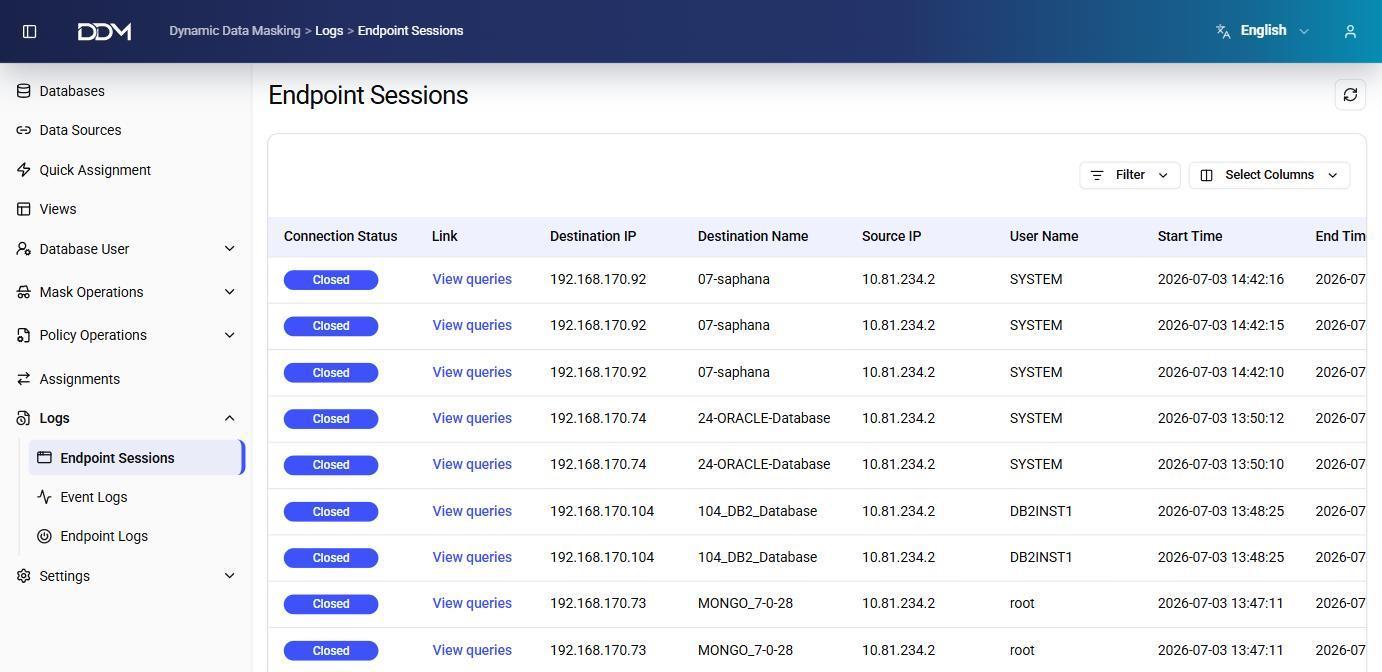
| Field | Description |
|---|---|
| Connection Status | Current state of the session, such as Open or Closed. |
| View Queries | Opens the list of SQL statements executed during the session. |
| Destination IP | IP address of the target database server. |
| Destination Name | Name of the target database connection. |
| Source IP | IP address of the client that started the connection. |
| User Name | Database user of the session. |
| Start Time | Date and time when the session started. |
| End Time | Date and time when the session ended. |
Click View Queries to see the SQL statements executed during a session.
Event Logs
The Event Logs page records the actions performed in the DDM management interface, so that configuration changes and administrative operations can be audited.
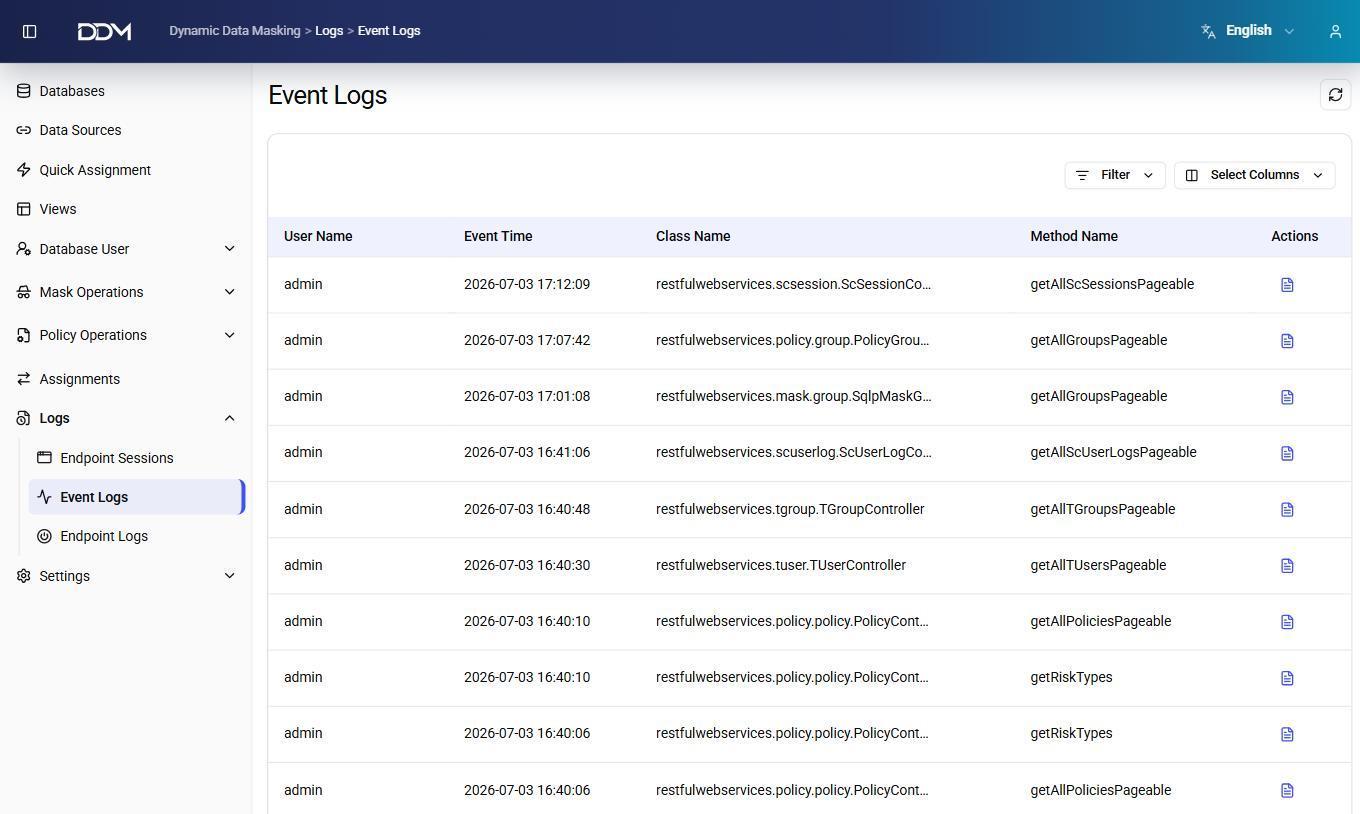
| Field | Description |
|---|---|
| User Name | Application user who performed the action, such as admin. |
| Event Time | Date and time of the event. |
| Class Name | Backend service class that processed the request. |
| Method Name | Service method that was called, showing the operation performed, such as listing policies or updating a user group. |
| Actions | Shows the details of the event. |
Endpoint Logs
The Endpoint Logs page lists the SQL statements processed by the DDM proxy. Each entry records the SQL statement together with the masking and policy results applied to it.
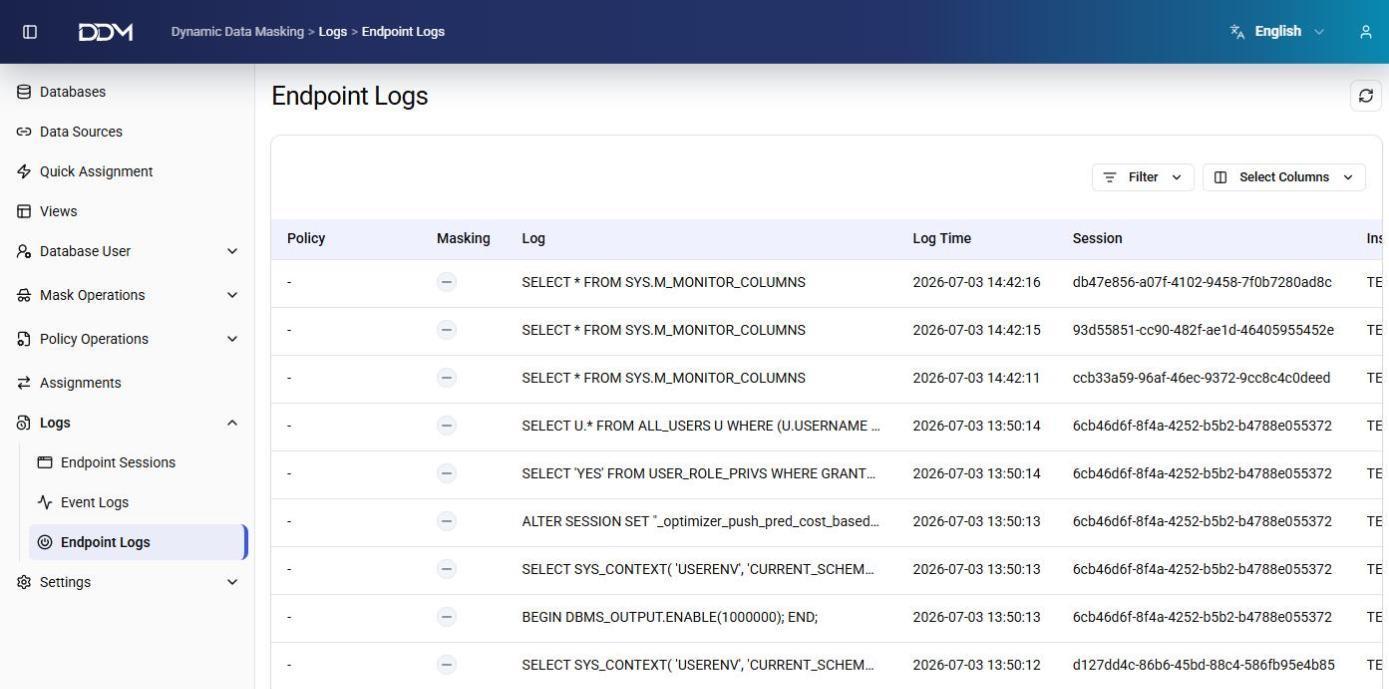
| Field | Description |
|---|---|
| Policy | Policy applied to the SQL statement, showing whether it was allowed or blocked. |
| Masking | Shows whether masking was applied to the query result. |
| Log | Full SQL statement executed during the session. |
| Log Time | Date and time when the statement was processed. |
| Session | Session identifier of the statement. It matches the session on the Endpoint Sessions page. |
| Instance | DDM instance or target database of the statement. |
Use the Session identifier to match SQL statements with their connection sessions.