Policy Operations
The Policy Operations menu has two pages: Policy and Policy Group.
Policies
The Policy page is where the access control rules that decide which SQL statements users can run are defined.
A policy checks incoming SQL statements against a configured pattern. Depending on its type, DDM either allows or blocks matching statements. A policy works as an allowlist (WHITE) or a denylist (BLACK).
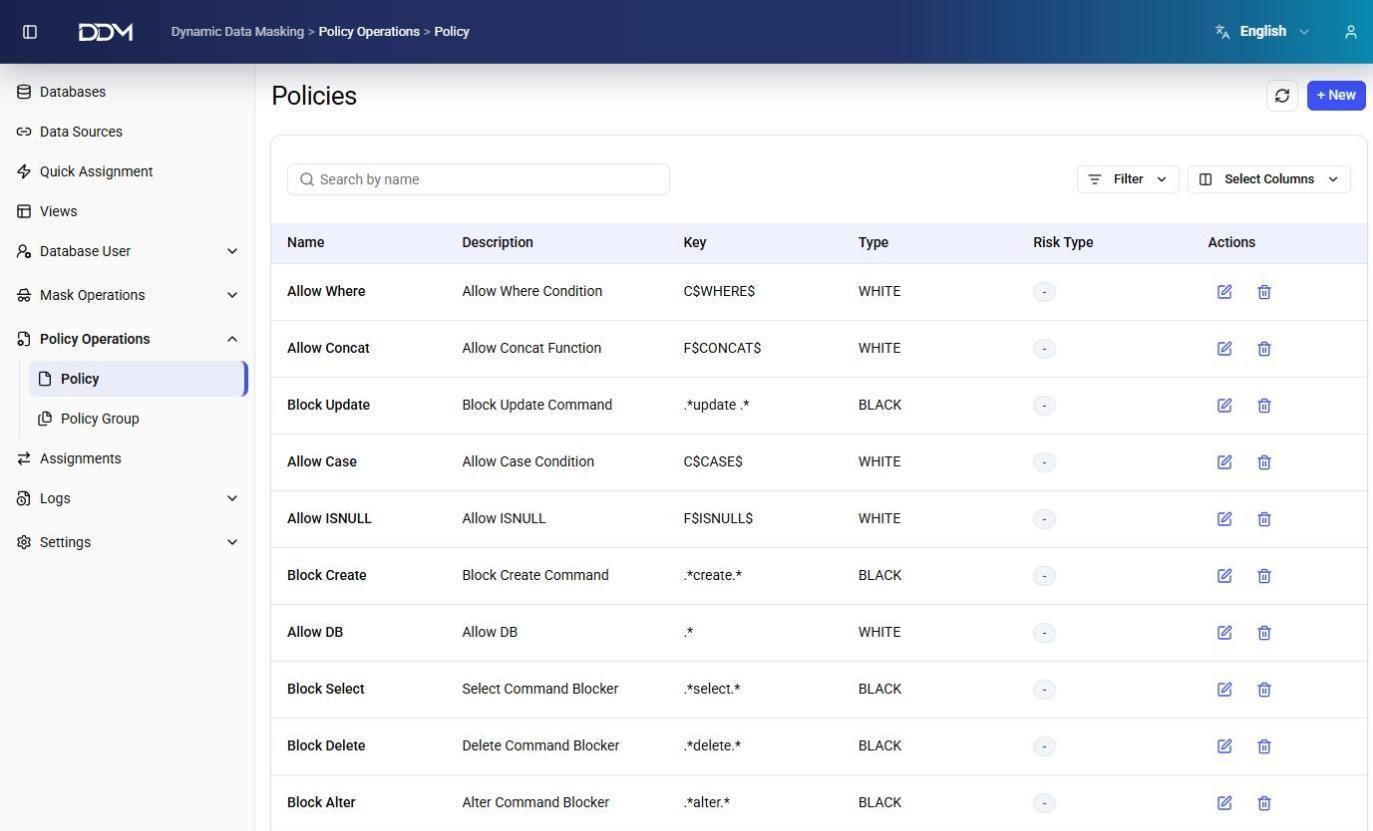
| Field | Description |
|---|---|
| Name | Unique name of the policy. |
| Description | Short description of the policy. |
| Key | SQL pattern or regular expression used to match SQL statements, such as SELECT, UPDATE, or DELETE. |
| Type | WHITE allows SQL statements that match the pattern. BLACK blocks them. |
| Risk Type | Risk classification of the policy. |
Examples:
| Policy | Description |
|---|---|
| Block Select | Blocks all SELECT statements with a regular expression such as .*select.*. |
| Allow Where | Allows statements that contain a WHERE clause with the C$WHERE$ pattern. |
| Block Update/Delete/Create/Alter | Blocks matching DML and DDL statements. |
- Click + New to create a policy, then enter the SQL pattern, policy type, and risk classification.
- Click Edit to change a policy.
- Click Delete to remove a policy.
Policy Groups
The Policy Group page is used to organize policies into logical groups.
Policy groups are assigned to user groups instead of individual policies. All allow and deny rules in a group are applied together.
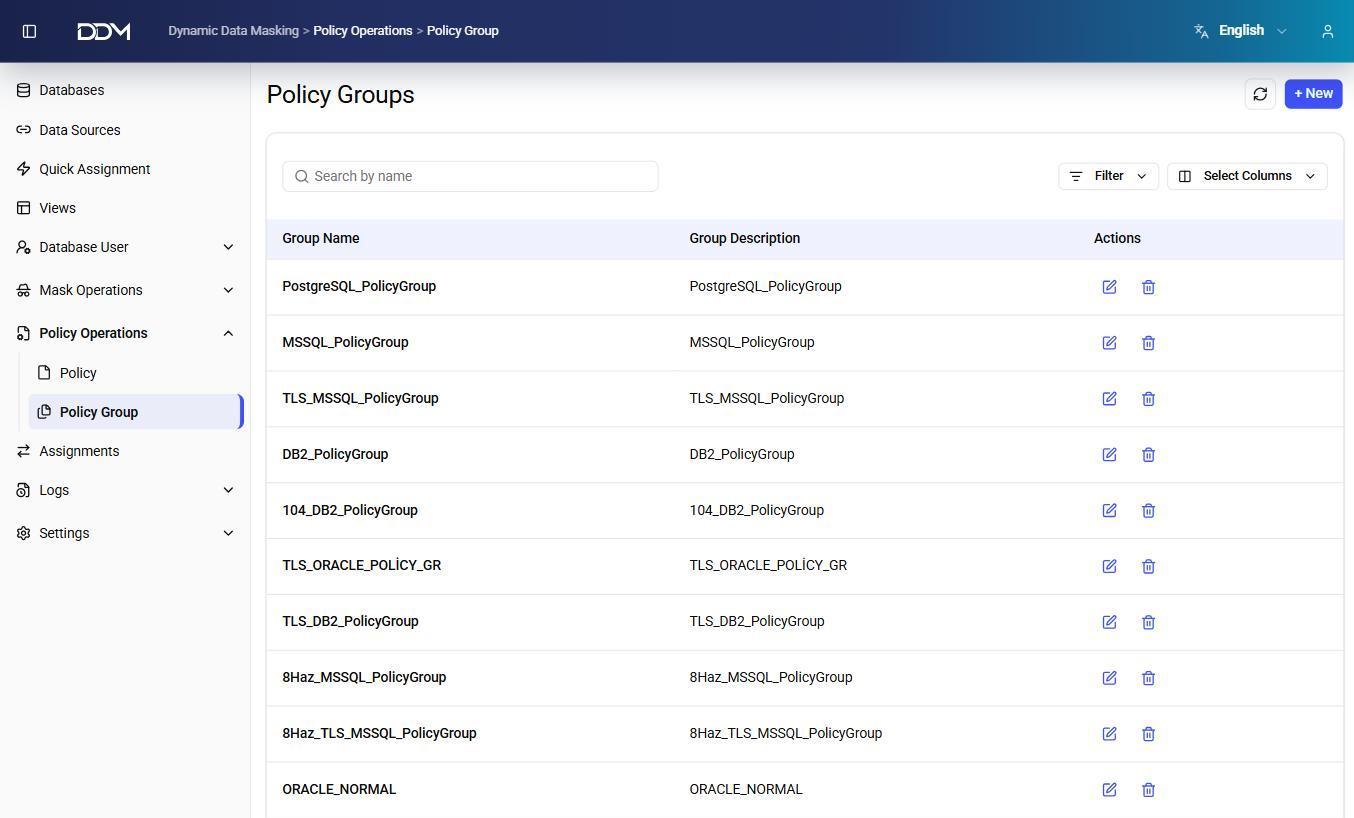
| Field | Description |
|---|---|
| Name | Unique name of the policy group. |
| Description | Short description of the policy group. |
| Policies | Policies included in the group. |
- Click + New to create a policy group.
- Add one or more policies to the group.
- Click Edit to change the group or its policies.
- Click Delete to remove the policy group.