Assignments
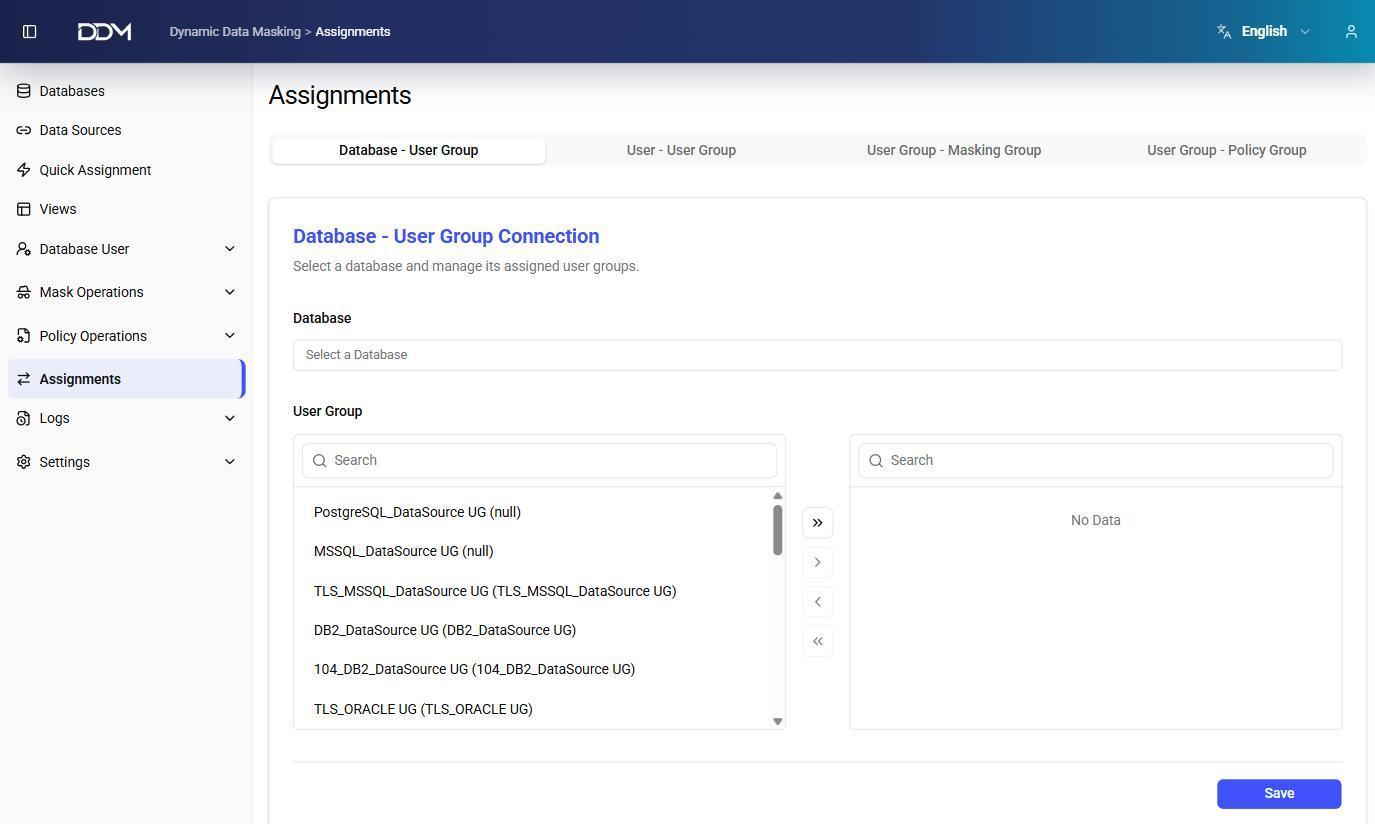
The Assignments page manages the relationships between databases, user groups, users, masking groups, and policy groups. Quick Assignment offers a simplified flow for a single database; the Assignments page has a separate tab for each type of relationship.
Each tab has two lists:
- Available: items that can be assigned.
- Assigned: items that are currently assigned.
Move items between the lists with the arrow controls, then click Save.
Database - User Group
Assigns user groups to a database.
1. Select a database.
2. Move the user groups from Available to Assigned.
3. Click Save.
User - User Group
Assigns database users to a user group.
1. Select a user group.
2. Move the users from Available to Assigned.
3. Click Save.
User Group - Masking Group
Assigns masking groups to a user group.
1. Select a user group.
2. Move the masking groups from Available to Assigned.
3. Click Save.
User Group - Policy Group
Assigns policy groups to a user group.
1. Select a user group.
2. Move the policy groups from Available to Assigned.
3. Click Save.