Settings
This page covers the Discovery, Client Certificates, and System Parameters pages under Settings. Workflow pages are described in Workflow, and user and role management in Access Management.
Discovery
The Discovery page manages integrations with external data discovery solutions. DDM imports sensitive data classifications from supported discovery tools and uses them to apply masking methods automatically, as configured on the Masking Configuration page.
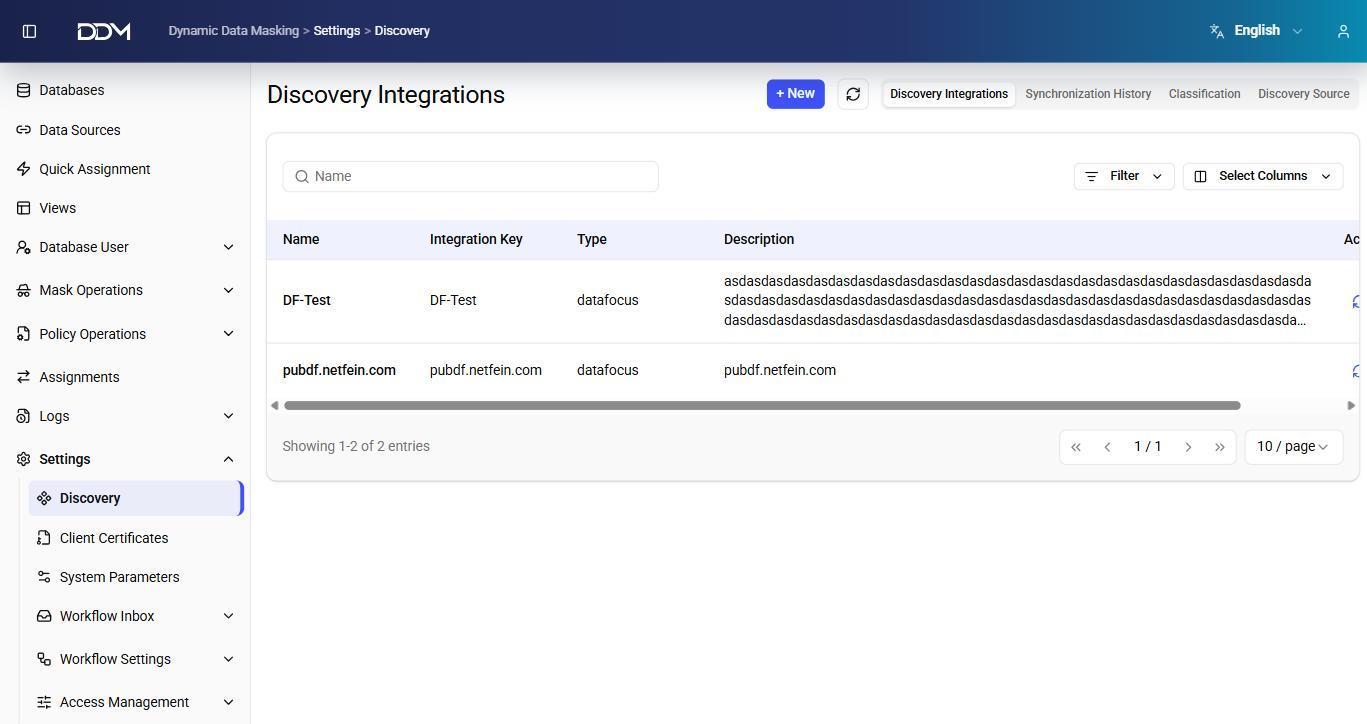
The page has four tabs.
Discovery Integrations
Configures integrations with external discovery solutions.
| Field | Description |
|---|---|
| Name | Name of the integration. |
| Integration Key | Unique identifier of the integration. |
| Type | Type of integration. |
| Description | Short description of the integration. |
Synchronization History
Shows the history and state of synchronization jobs.
| Field | Description |
|---|---|
| Sync Type | Type of synchronization. |
| Integration Key | Identifier of the integration. |
| Status | Current synchronization state. |
| Started At | Date and time when synchronization started. |
| Completed At | Date and time when synchronization completed. |
| Created Count | Number of records created during synchronization. |
Classification
Shows the data classifications imported from the discovery solution.
| Field | Description |
|---|---|
| Name | Name of the classification. |
| Description | Description of the classification. |
| Super Type | Parent category of the classification, such as Personal Information or Health Data. |
Discovery Sources
Shows the catalog sources scanned by the discovery solution.
| Field | Description |
|---|---|
| Discovery Integration Key | Identifier of the integration. |
| Catalog Source Name | Name of the scanned catalog source. |
| Catalog Name | Name of the catalog. |
| Source Environment Type | Type of the source environment. |
| Last Scan Date | Date of the most recent scan. |
Client Certificates
The Client Certificates page manages the client certificates used for TLS/SSL-secured database connections. When SSL Enabled is set for a database connection, DDM uses the selected client certificate to authenticate with the target database.
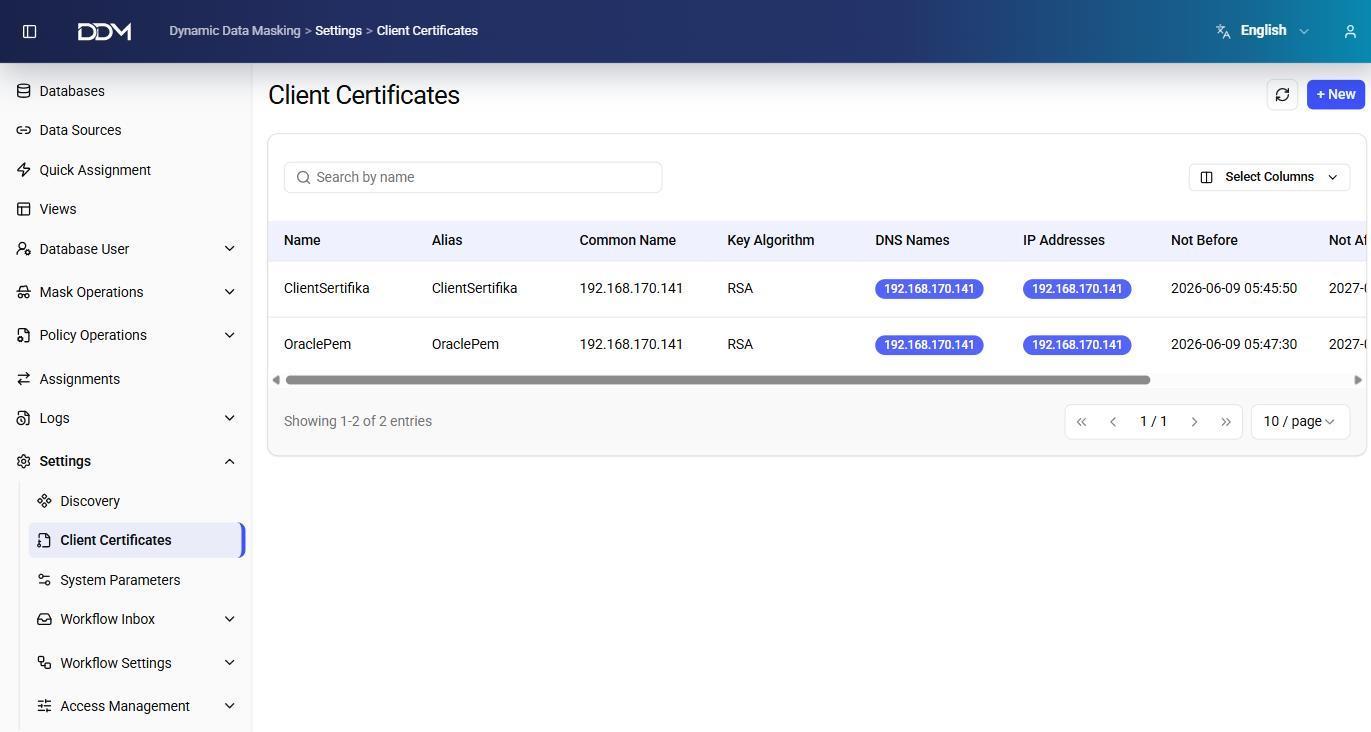
| Field | Description |
|---|---|
| Name | Name of the certificate. |
| Alias | Alias that identifies the certificate in DDM. |
| Common Name | Common Name (CN) in the certificate. |
| Key Algorithm | Algorithm used by the certificate, such as RSA. |
| DNS Names | DNS names in the certificate. |
| IP Addresses | IP addresses covered by the certificate. |
| Not Before | Date and time when the certificate becomes valid. |
| Not After | Date and time when the certificate expires. |
- Click + New to add a client certificate.
- Click Edit to update a certificate.
- Click Delete to remove a certificate.
System Parameters
The System Parameters page holds the application settings that control DDM behavior. Parameters are grouped into three categories:
| Category | Description |
|---|---|
| SYSTEM | Core application settings. |
| PROXY | Runtime settings of the DDM SQL proxy. |
| INTEGRATION | Settings for external integrations. |
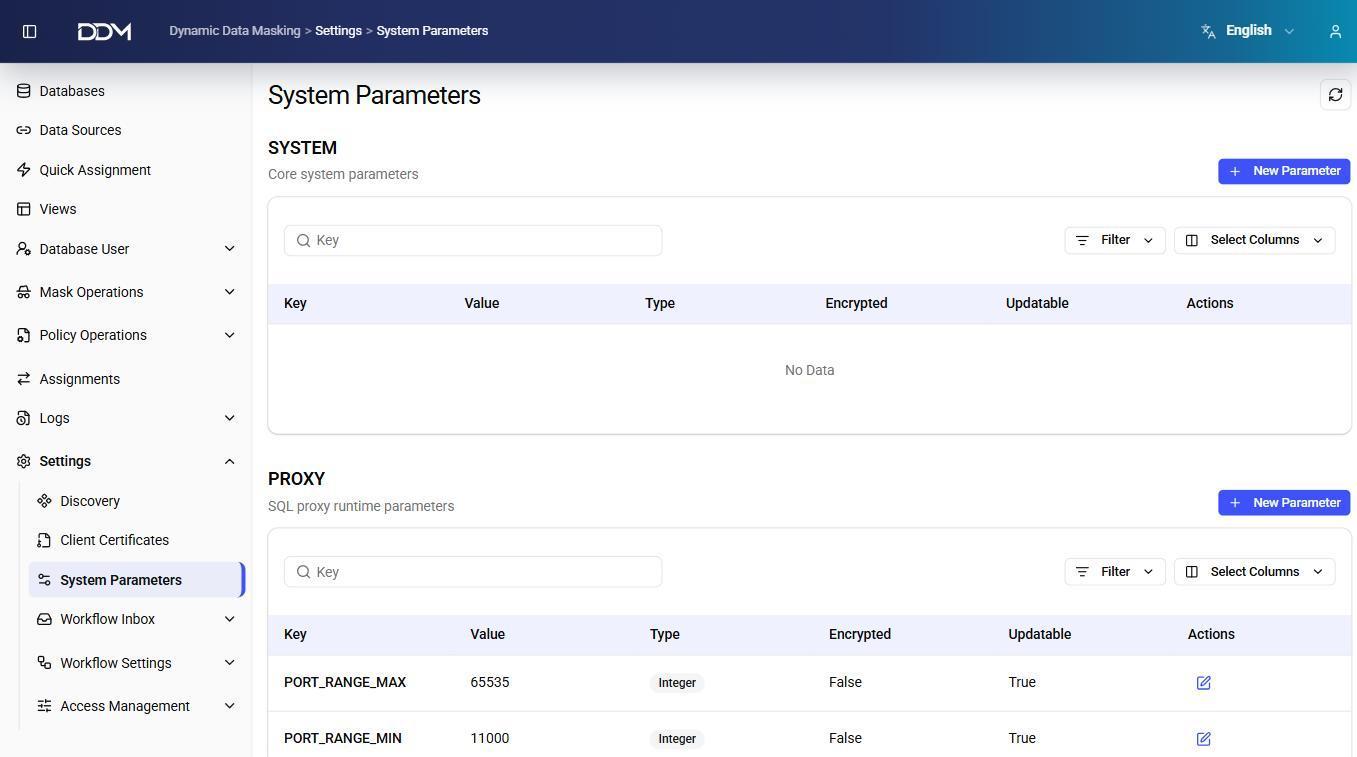
| Field | Description |
|---|---|
| Key | Name of the parameter. |
| Value | Current value of the parameter. |
| Type | Data type of the value, such as Integer. |
| Encrypted | Shows whether the value is stored encrypted. |
| Updatable | Shows whether the parameter can be changed after it is created. |
For example, PORT_RANGE_MIN and PORT_RANGE_MAX in the PROXY category set the range of ports that can be assigned as proxy ports on the Databases page.
- Click + New Parameter to create a parameter.
- Click Edit to change an updatable parameter.
Warning
Check parameter values carefully before changing runtime or integration settings.