Mask Operations
The Mask Operations menu has four pages: Masking Rule, Masking Group, Masking Method, and Masking Config.
Masking Rules
The Masking Rule page is where column-level masking is defined.
A masking rule links a column in a data source to a masking method. When a query returns data from that column, DDM applies the masking method before the data is returned to the client application.
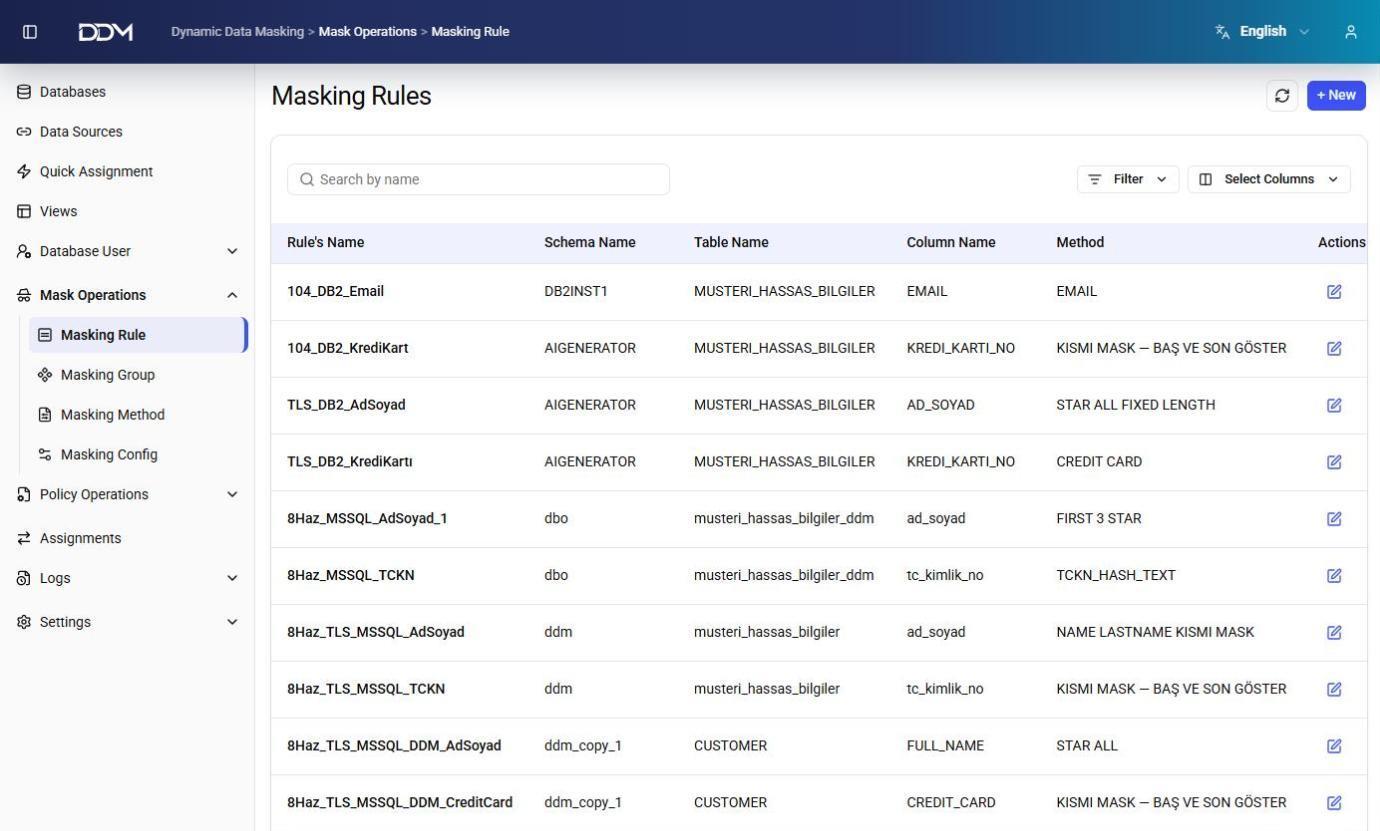
| Field | Description |
|---|---|
| Rule Name | Unique name of the masking rule. |
| Data Source | Data source where the rule is applied. |
| Schema Name | Database schema that contains the target table. |
| Table Name | Table that contains the column to be masked. |
| Column Name | Column the rule is applied to. |
| Masking Method | Masking method used to transform the column value, such as EMAIL, CREDIT CARD, PARTIAL MASK, or STAR ALL. |
- Click + New to create a masking rule.
- Click Edit to change the target schema, table, column, or masking method.
- Click Delete to remove a masking rule.
Masking Groups
The Masking Group page is used to organize masking rules into logical groups.
Masking groups are assigned to user groups instead of individual masking rules. All rules in a group are applied together.
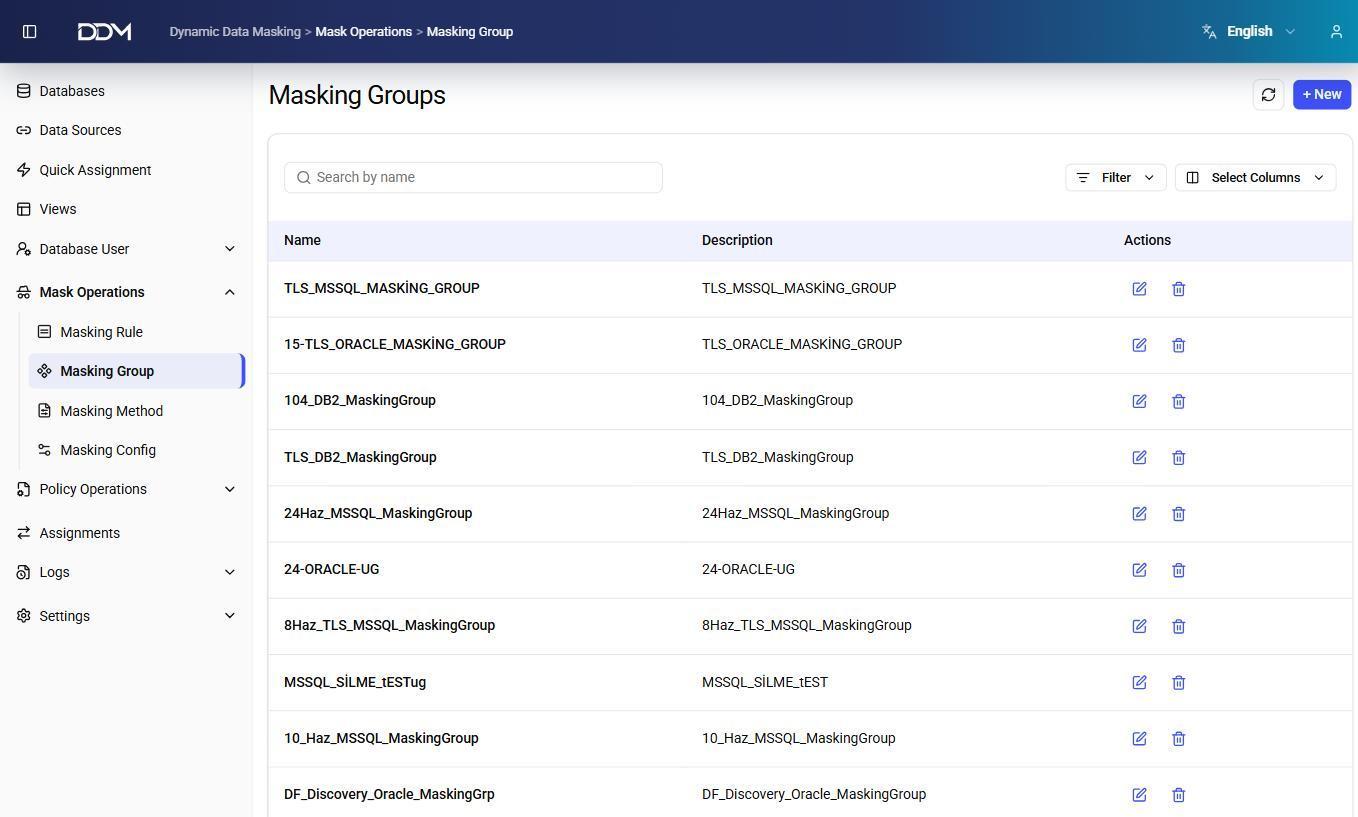
| Field | Description |
|---|---|
| Name | Unique name of the masking group. |
| Description | Short description of the masking group. |
| Masking Rules | Masking rules included in the group. |
- Click + New to create a masking group.
- Add one or more masking rules to the group.
- Click Edit to change the group or its masking rules.
- Click Delete to remove the masking group.
Masking Methods
The Masking Method page is where the masking logic used by masking rules is defined.
A masking method contains an SQL expression or template that determines how a column value is transformed before it is returned to the client. Because SQL syntax differs between database platforms, each masking method belongs to one database access protocol.
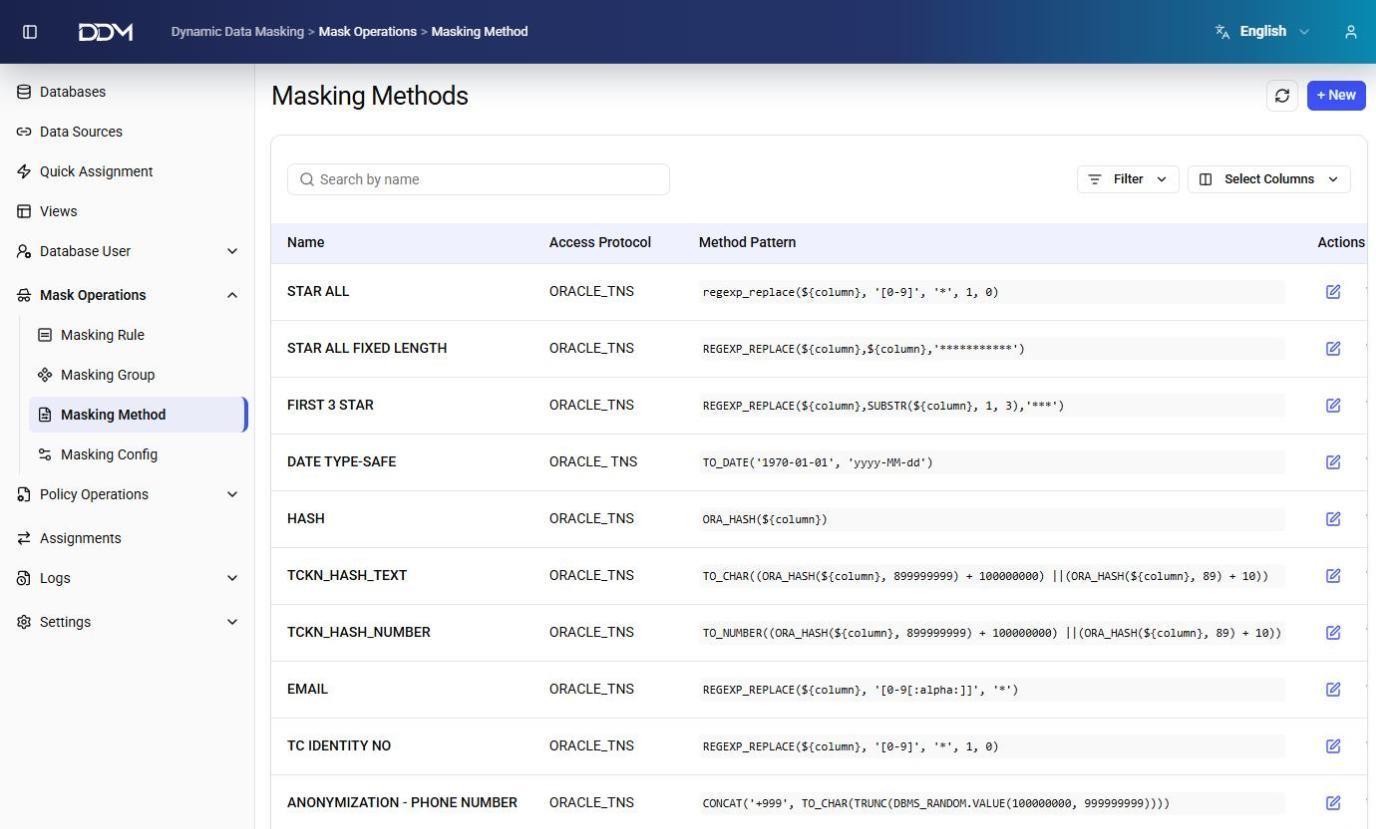
| Field | Description |
|---|---|
| Name | Unique name of the masking method, such as STAR ALL, EMAIL, HASH, or TCKN_HASH_TEXT. |
| Access Protocol | Database protocol the method supports, such as ORACLE_TNS. |
| Method Pattern | SQL expression that defines the masking logic. The ${column} placeholder stands for the target column at runtime. |
Examples:
| Method | What it does |
|---|---|
STAR ALL |
Replaces all numeric characters with asterisks. |
HASH |
Produces a hashed value using the database hashing function. |
EMAIL |
Masks part of an email address while keeping its format. |
- Click + New to create a masking method, then enter the method name, supported protocol, and SQL expression.
- Click Edit to update a masking method.
- Click Delete to remove a masking method.
Masking Configuration
The Masking Config page maps sensitive data classifications found by discovery to masking methods.
When DDM receives classification results from a supported discovery solution, it applies the configured masking method for each detected data type automatically. Discovery integrations are set up on the Discovery page.
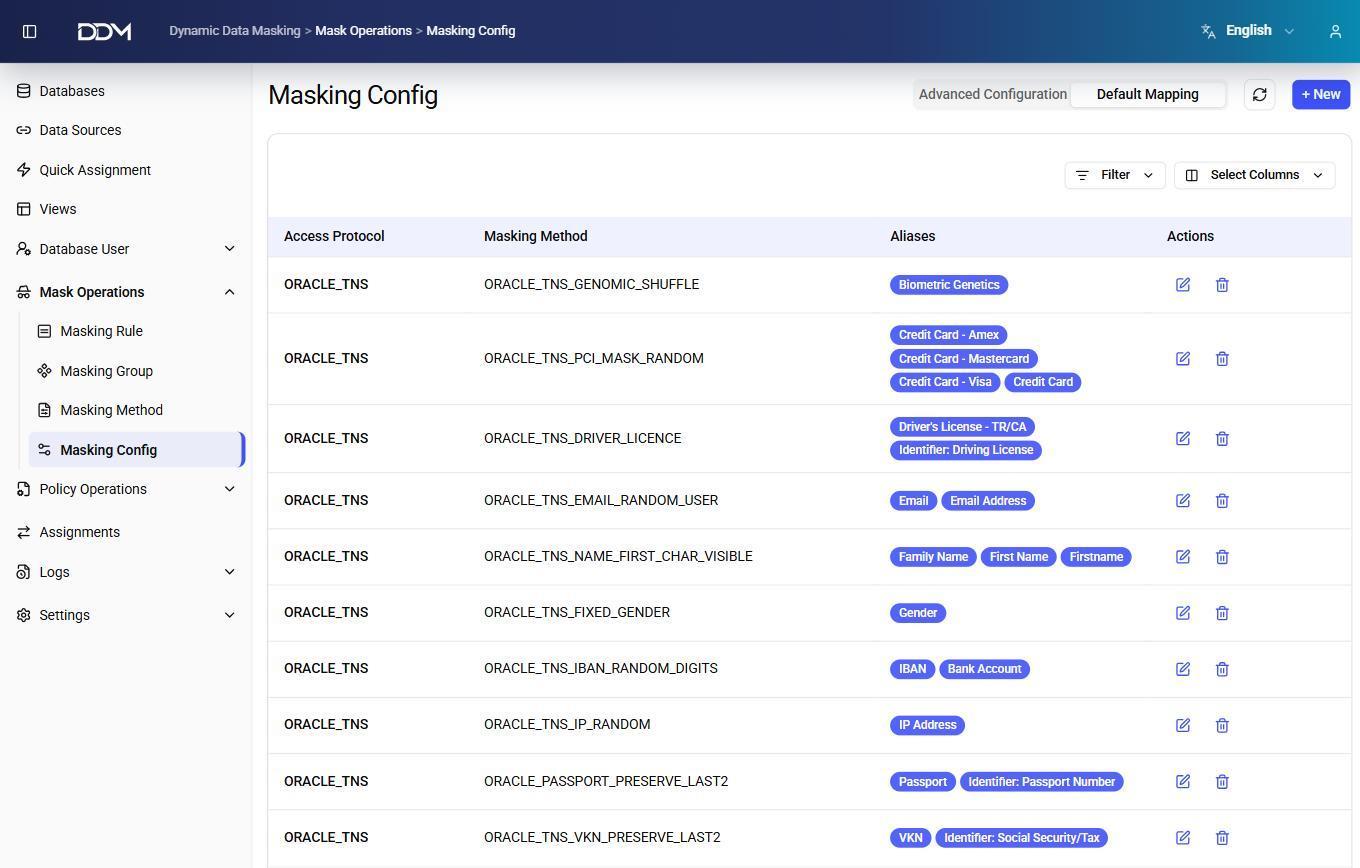
The page has two tabs.
Advanced Configuration
Defines custom masking mappings for specific data classifications.
| Field | Description |
|---|---|
| Access Protocol | Database protocol the mapping applies to. |
| Classification | Sensitive data classification. |
| Masking Method | Masking method assigned to the classification. |
| Status | Shows whether the mapping is enabled. |
Default Mapping
Defines the default masking mappings for each database protocol.
| Field | Description |
|---|---|
| Access Protocol | Database protocol the mapping applies to. |
| Masking Method | Default masking method for the detected data type. |
| Aliases | Classification aliases used during data discovery, such as Credit Card, Email, IBAN, Passport, or Gender. When a matching data type is detected, DDM applies the associated masking method automatically. |
- Click + New to create a masking configuration.
- Click Edit to change a mapping.
- Click Delete to remove a mapping.