Databases & Data Sources
Databases
The Databases page is where the target database connections protected by DDM are defined. DDM acts as a proxy between client applications and the database server, and applies masking policies to the traffic that passes through the configured proxy connection.
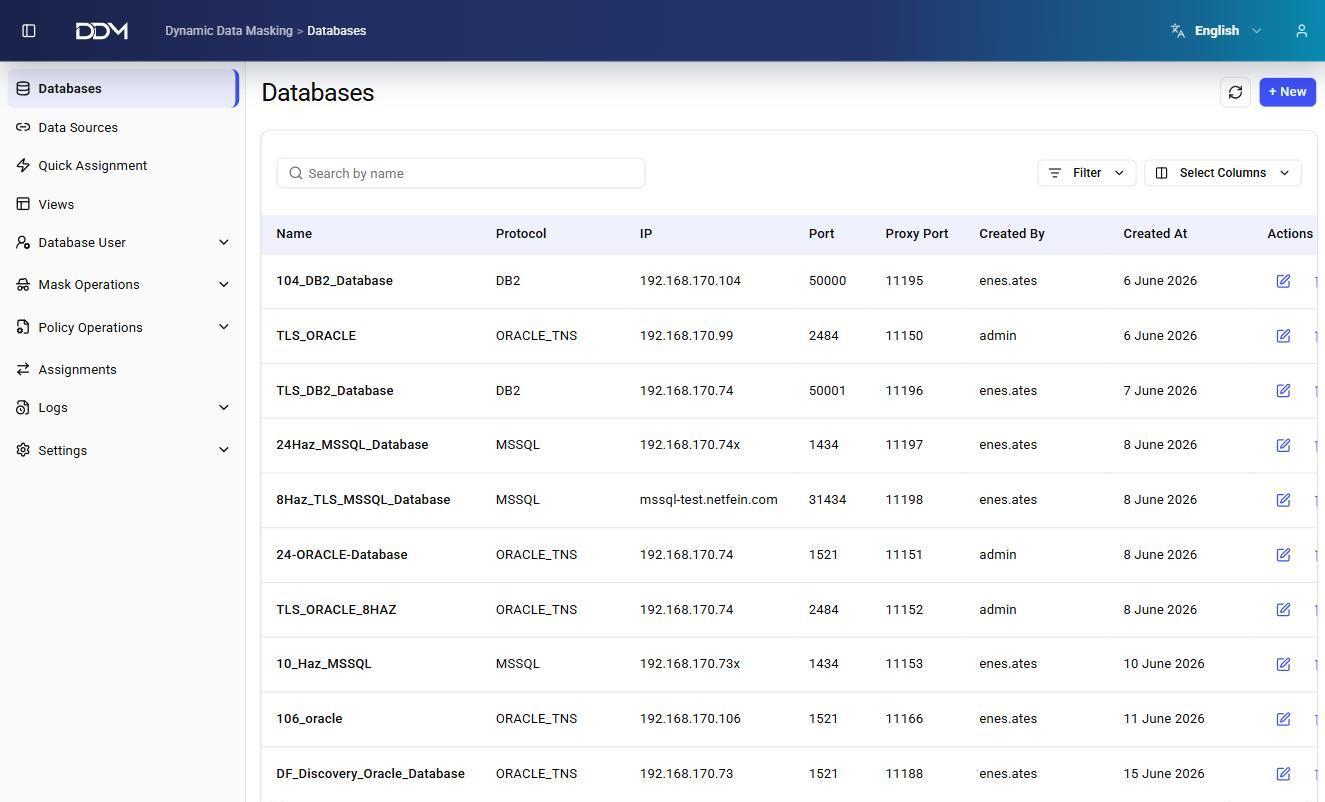
| Field | Description |
|---|---|
| Name | Unique name of the database connection within DDM. |
| Protocol | Database access protocol, such as DB2, ORACLE_TNS, or MSSQL. |
| IP Address | IP address or hostname of the target database server. |
| Port | Listening port of the target database. For example, Oracle uses 1521, DB2 uses 50000, and Microsoft SQL Server uses 1433. |
| Proxy Port | Port monitored by the DDM proxy. Client applications connect to this port instead of connecting directly to the database server. |
| SSL Enabled | Shows whether TLS/SSL encryption is enabled for the connection. |
| Created By | User who created the connection. |
| Created At | Date and time when the connection was created. |
- Click + New to create a database connection.
- Use Edit to change connection settings such as IP address, port, proxy port, or SSL configuration.
Proxy port range
The ports that can be assigned as proxy ports are limited by the PORT_RANGE_MIN and PORT_RANGE_MAX parameters. See System Parameters.
SSL connections
When SSL Enabled is set for a connection, DDM uses the selected client certificate to authenticate with the target database. See Client Certificates.
Data Sources
The Data Sources page is where the JDBC connections for target databases are configured. DDM uses these connections to access database metadata and apply masking operations.
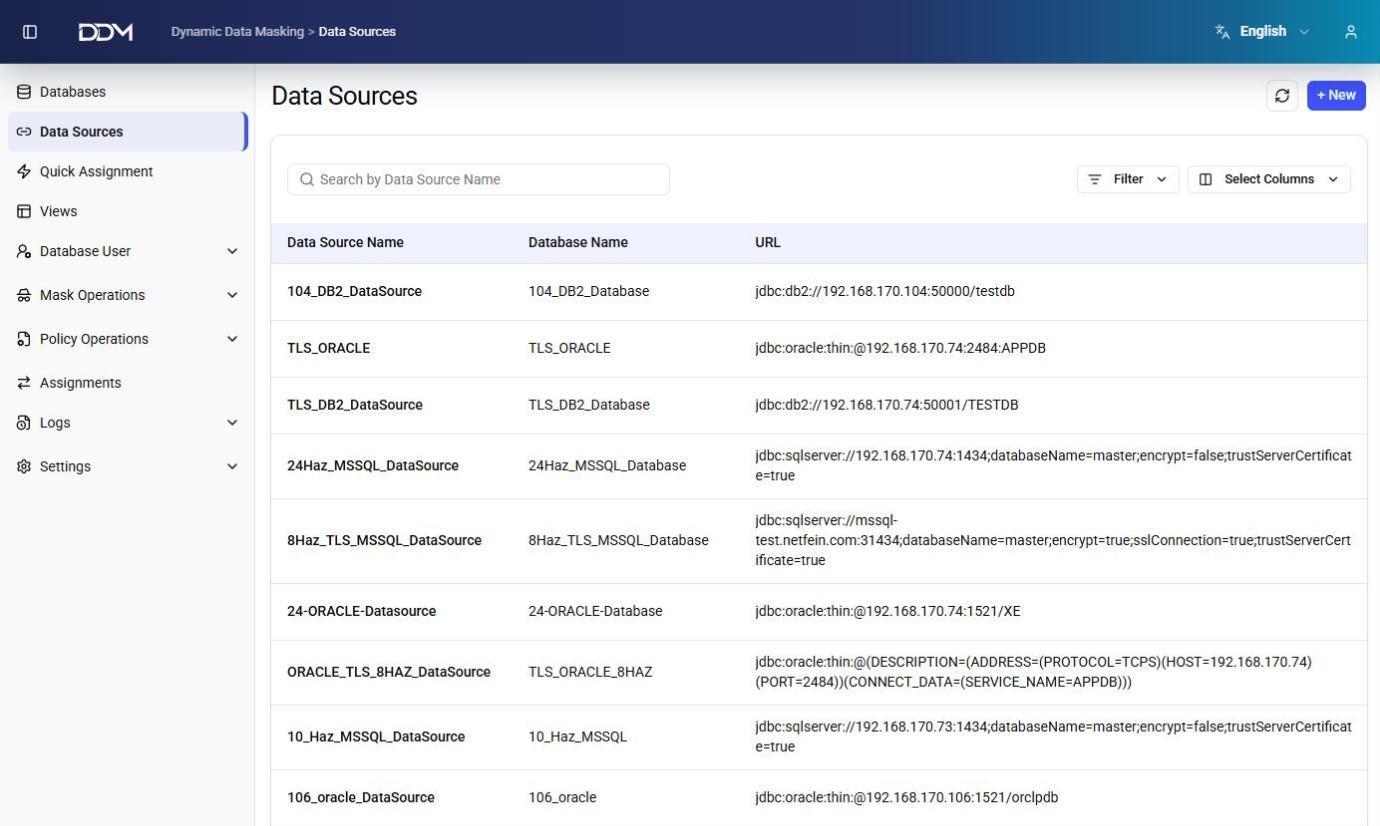
| Field | Description |
|---|---|
| Data Source Name | Name of the data source. |
| Database Name | Database associated with the data source. |
| URL | Complete JDBC connection string, including protocol, host, port, and service or instance information. |
Example JDBC URLs:
| Database | Example |
|---|---|
| Oracle | jdbc:oracle:thin:@192.168.170.74:1521:XE |
| DB2 | jdbc:db2://192.168.170.104:50000/testdb |
| SQL Server | jdbc:sqlserver://server:1433;encrypt=true |
Click + New to create a data source.